Dress
your
desk
top.
Technology with taste. Glass tiles, live music and one-click presets for Windows.
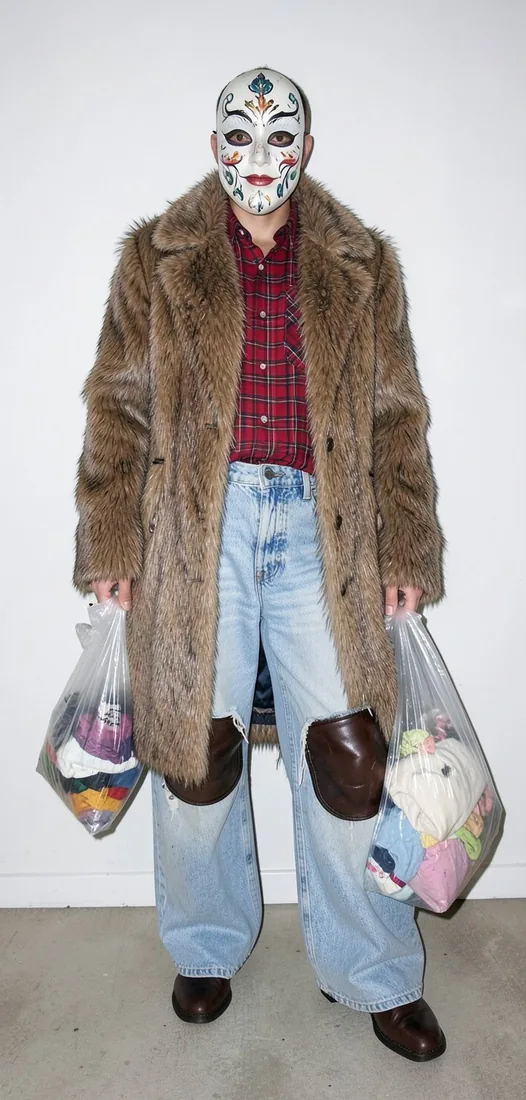
WEAR

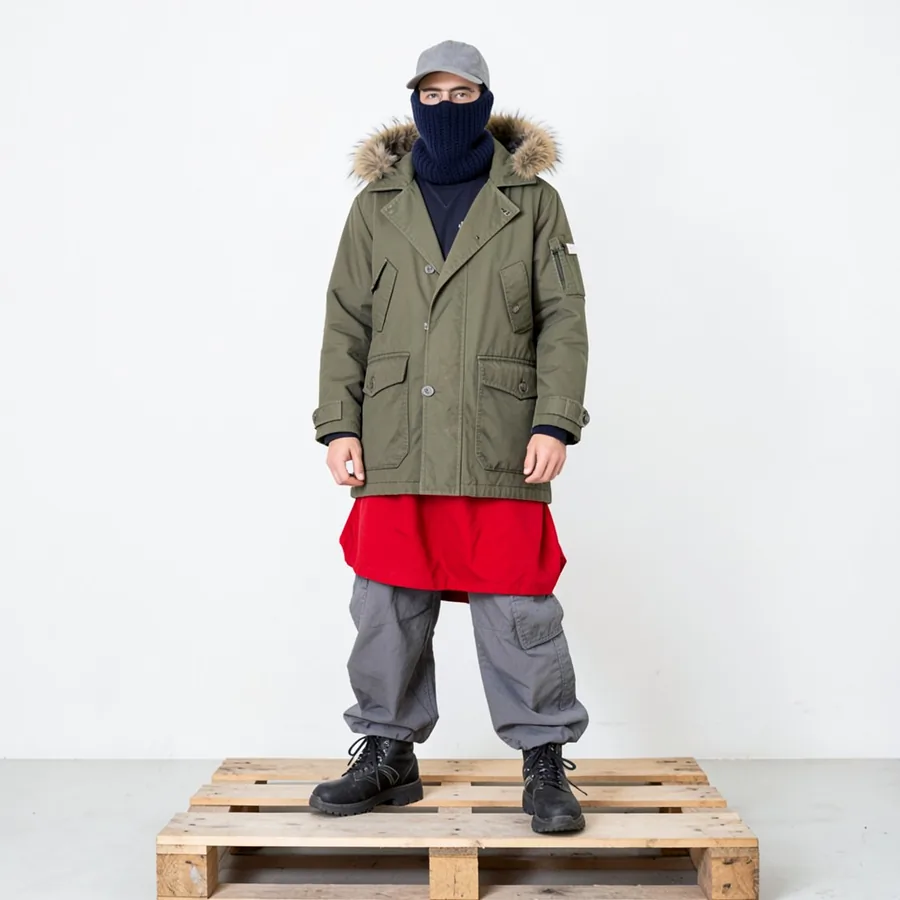

free beta
Technology
with taste.
Software doesn't have to look like an office. Deskwear treats your desktop like a wardrobe: pick a fit, layer your photos, switch the look when your mood switches. The joy is in the styling, and in every glance after.
One click. New mood.
Background, photos, tile layout, colours, clock and fonts change at once. Then make it yours and save it.
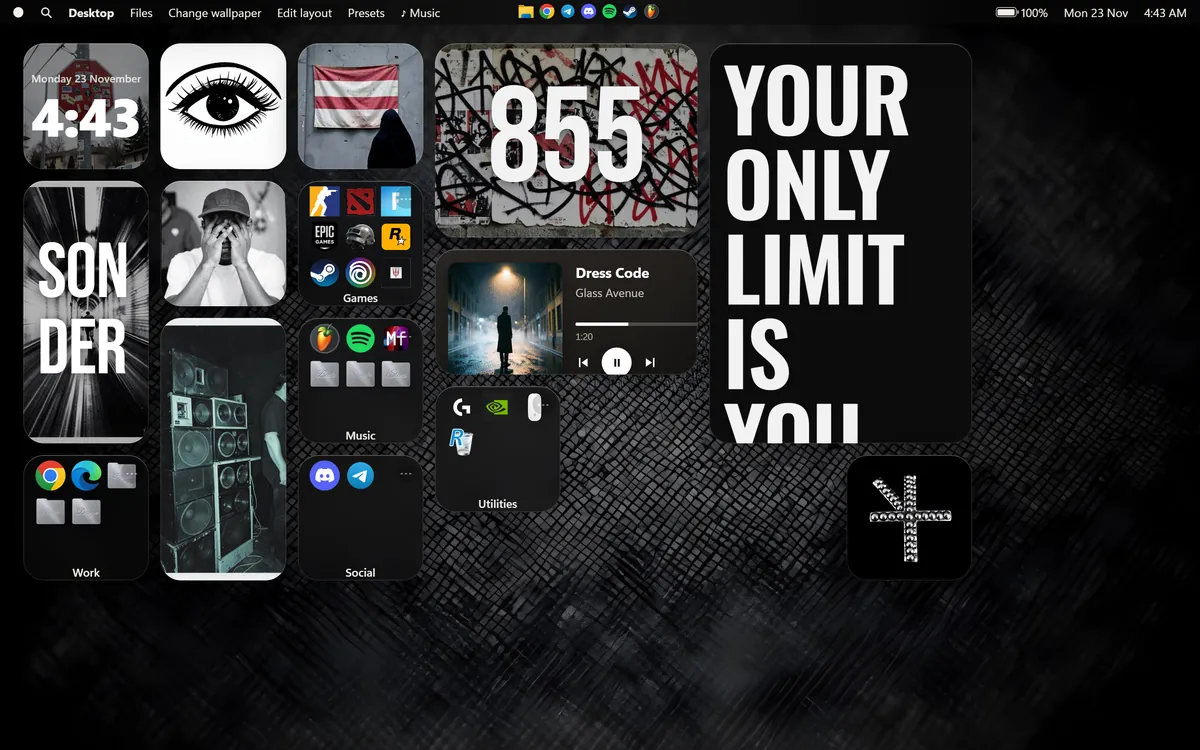
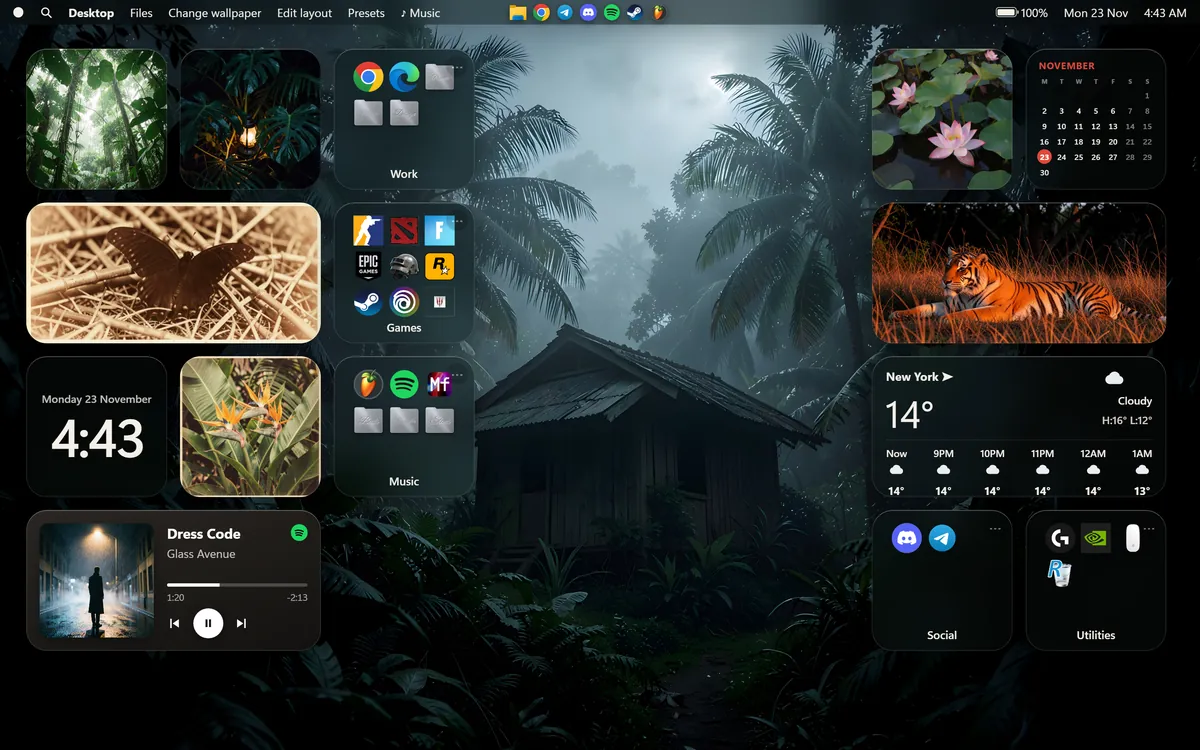
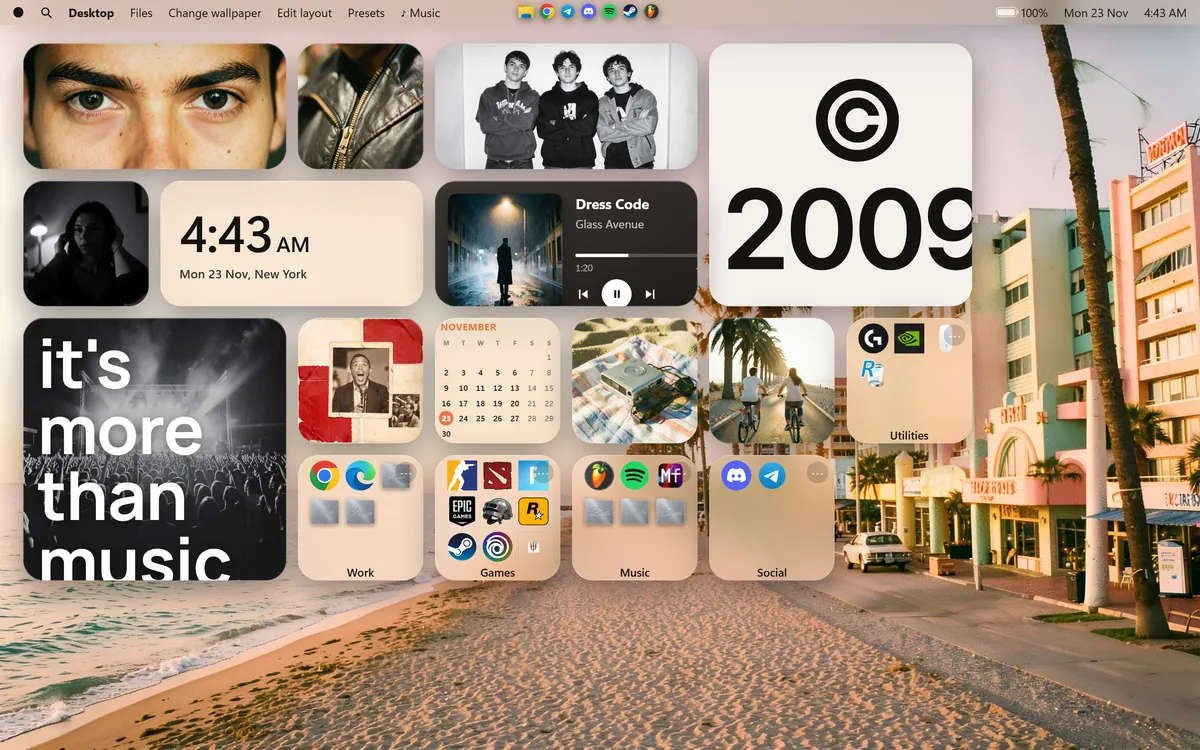
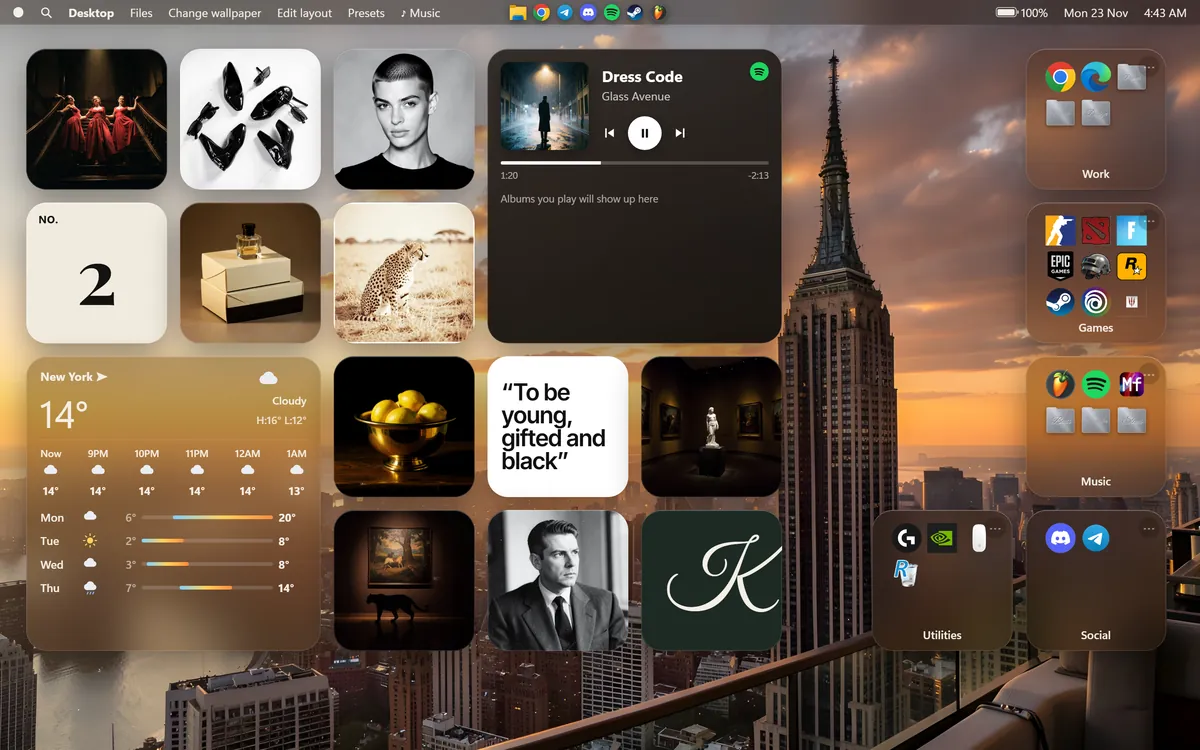
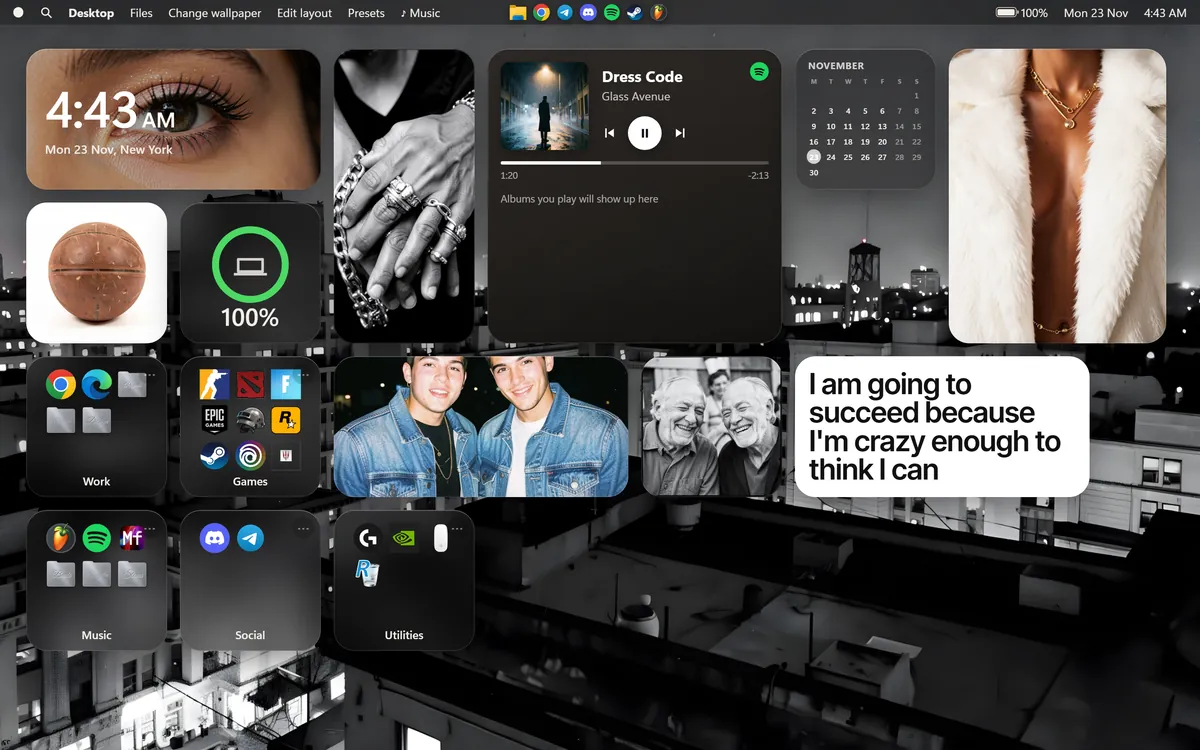
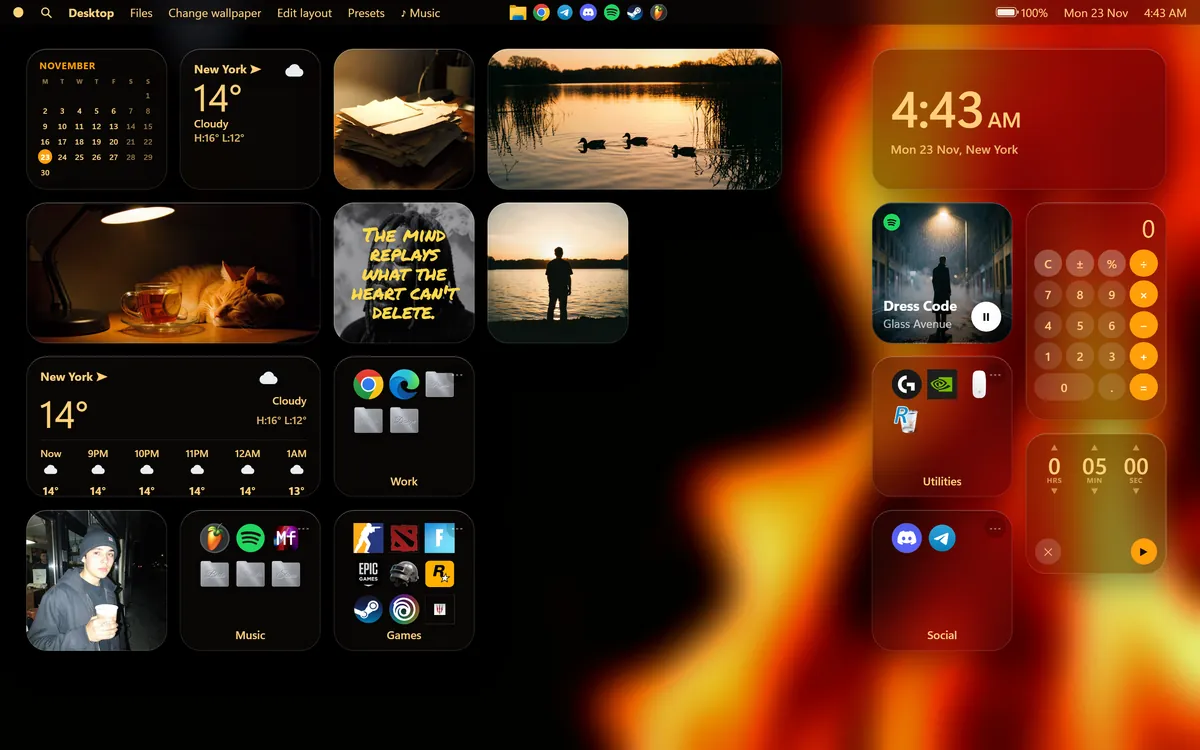
Not just a wallpaper.
Apps, folders and music live right on the desktop, in glass tiles you can move, resize and restyle.
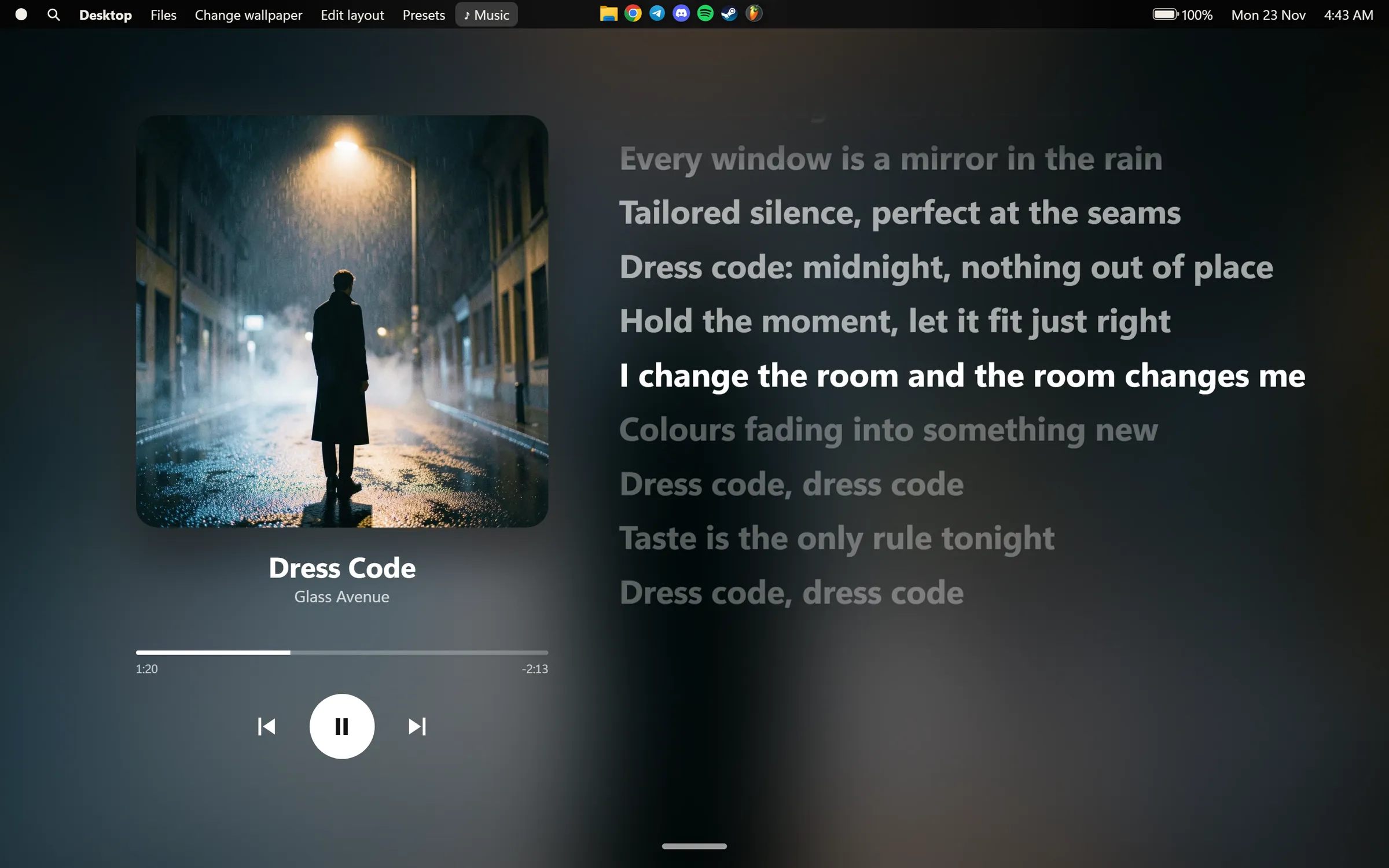
Pull down the music
Drag the top bar down: full-screen curtain with the live cover and synced lyrics of whatever is playing. Esc closes it.
Glass tiles
Clock faces, weather, calendar, battery, timer, calculator, quotes and photos.
One search
Apps first, then files from anywhere on your PC.
Your photos
Pinterest and Unsplash right from a tile. Opacity slider for every glass.
Custom icons
Engraved silver folders, any picture as an icon, drag to reorder the dock.
Three steps.
Install
A small app for Windows 10 and 11. It sits behind your icons and stays out of the way.
Pick a preset
Street, Night Jungle, Miami 2009 and more. Everything changes in one click.
Make it yours
Drop in your photos, move tiles, change fonts and colours, save your own preset.
Free beta.
Every feature is free while Deskwear is in beta. It installs in a few seconds and needs no admin rights.
For Windows 10 & 11
- 64-bit Windows 10 or 11
- Installs for your account only, no admin rights
- Starts with Windows, pause it from the tray icon
- Remove it any time in Settings › Apps
SHA-256 55F074AB58CC1BA9DCD49254454B835E5A683BE7C80E7A9E1D2A97CD2B36E9B1
New app, no surprises.
Deskwear is new and not code-signed yet, so Windows SmartScreen may show “Windows protected your PC”. Click More info, then Run anyway.
The installer only writes to your own user folder. Your pictures stay in Pictures › Deskwear, even if you uninstall.
Free while in beta.
Everything is free during the beta. When Pro launches, the first 100 people get it for life at the early price.
Beta
- Glass tiles and widgets
- 6 presets
- Music curtain with synced lyrics
- App and folder tiles, dock, search
Pro
- All presets, new ones every few weeks
- Music curtain with synced lyrics
- Spotify: sharp covers, like, queue
- Custom icons and silver folders
- Search apps and files
- Unlimited own presets
Preset packs
- New aesthetics: city, film, nature, Y2K
- Photos, layouts and fonts included
- Works with Free and Pro
Questions.
Which Windows does it support?
64-bit Windows 10 and Windows 11. Deskwear uses Microsoft Edge WebView2, which is built into Windows 11. On Windows 10 the installer opens the WebView2 download page if it is missing.
Does it replace my desktop icons?
Your files stay where they are. Deskwear shows your apps and folders in tiles and can hide the classic icons while it runs.
Which music apps work?
Any player that shows up in the Windows media controls: Spotify, Apple Music, Yandex Music, browsers and more. With Spotify Premium you can also connect your own free Spotify developer app for sharp covers, likes and the queue.
Can I use my own photos?
Yes. Pick any picture from your PC, or search Pinterest and Unsplash right from a tile. Every preset has its own folder for your photos.
Is it free?
Yes, the beta is free with every feature. Pro will come later, with a lifetime early price for the first 100 people.
Windows says it protected my PC. Is it safe?
That is SmartScreen: it warns about every new app that is not code-signed yet. Click More info, then Run anyway. Deskwear installs only into your own user folder and needs no admin rights.
How do I remove it?
Settings › Apps › Deskwear › Uninstall. Your desktop icons and Windows wallpaper come back as they were, and your pictures in Pictures › Deskwear stay.
Your desktop,
dressed.
Free beta for Windows 10 and 11. Install it and pick your first fit.
Download free beta